One system for the whole front desk.

Online booking, an AI receptionist for your phone line and a clear view of your takings. Built for barbershops.

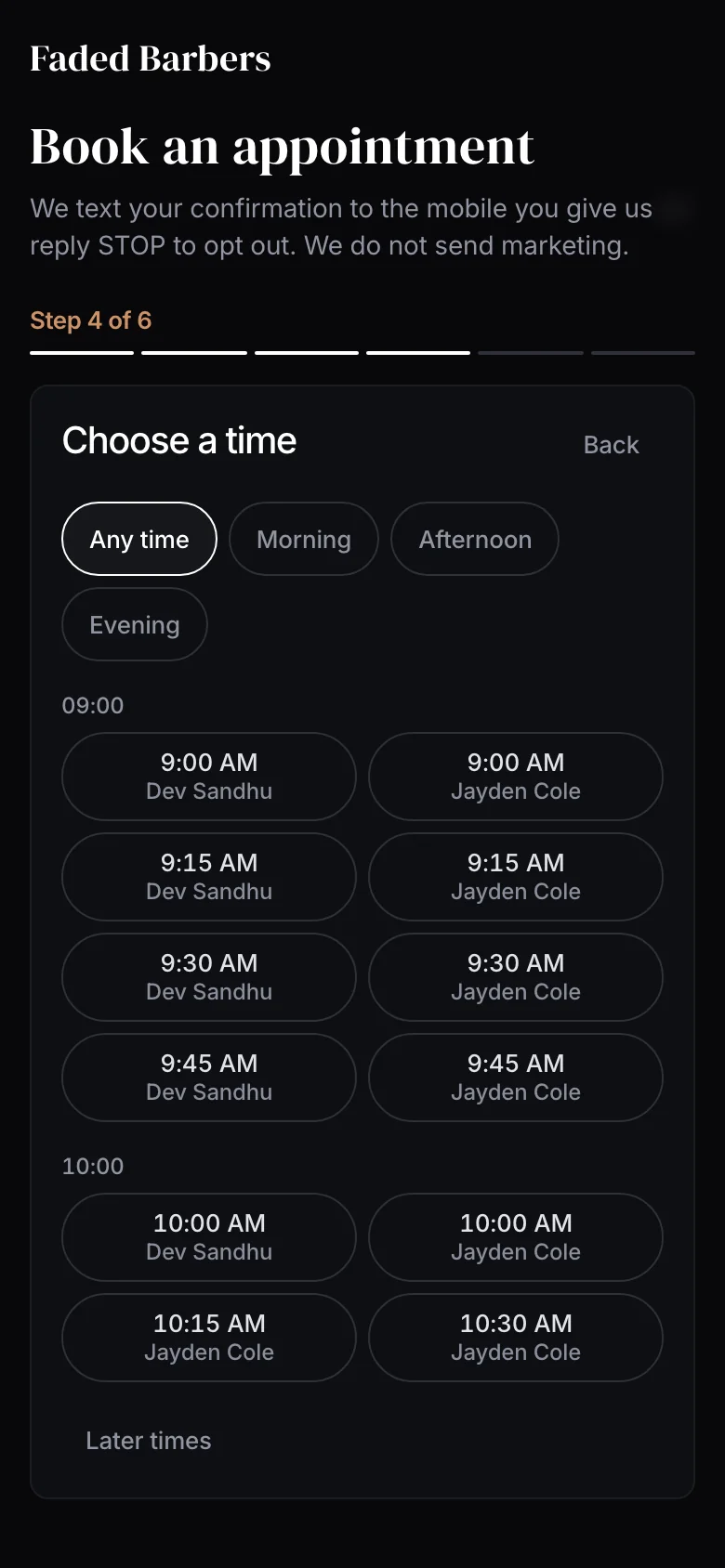
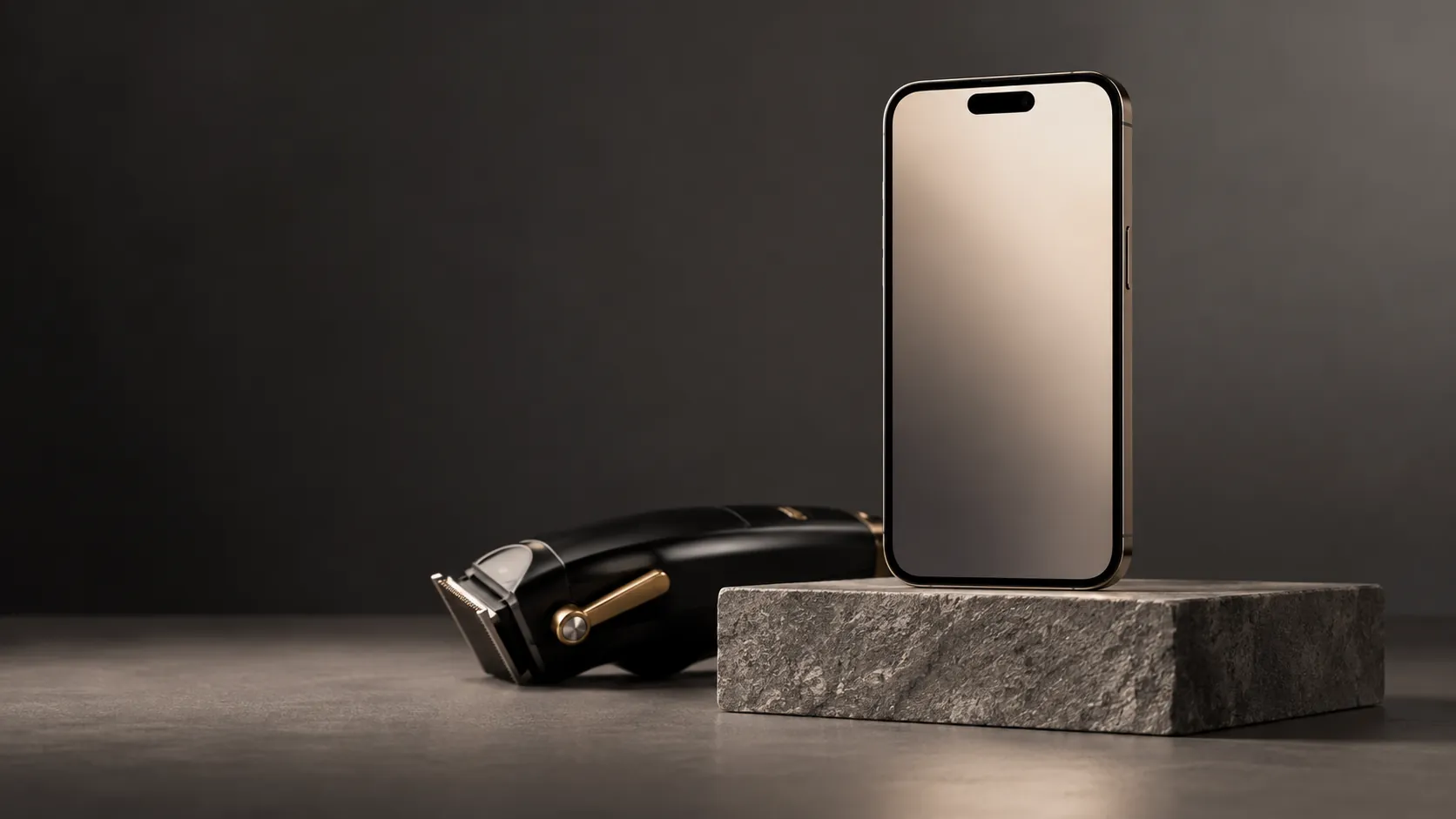
Phone showing the Faded Barbers online booking page, choosing a time

Barber OS walkthrough film

What the film shows
  1. A barber is mid cut when the shop phone rings on the counter. On screen: The phone rings. Mid-cut.
  2. The Barber OS logo, then: One system for the whole front desk.
  3. Online booking. The booking page on a desktop and on a phone; the 9:30 time with Jayden is picked and a note reads Booked, confirmation text sent. On screen: Clients book online. Into your own diary.
  4. The phone desk. A call is picked up while the barber keeps cutting. The receptionist books Callum a skin fade for Thursday 2:30 with Jayden, then texts him the confirmation with a reply STOP to opt out line. On screen: An AI receptionist answers your phone.
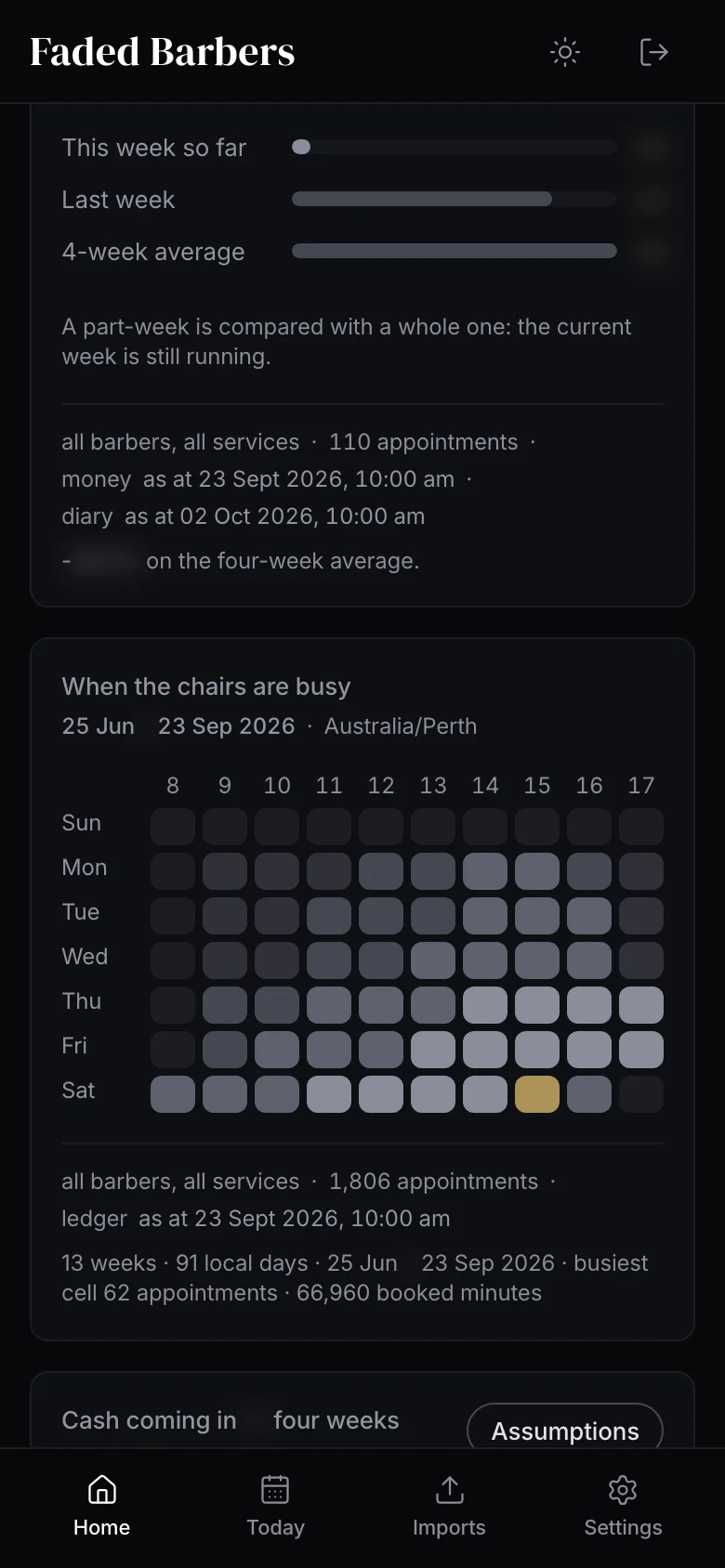
  5. Financial Intelligence. The owner home, with amounts hidden, moves in on the chart of busy hours and marks the busiest one, Saturday afternoon. On screen: See how the shop is doing. With the workings shown.
  6. Closing: Built for barbershops. Book a showing at barberos.therise.ai.
  7. Music plays throughout; there is no speech.
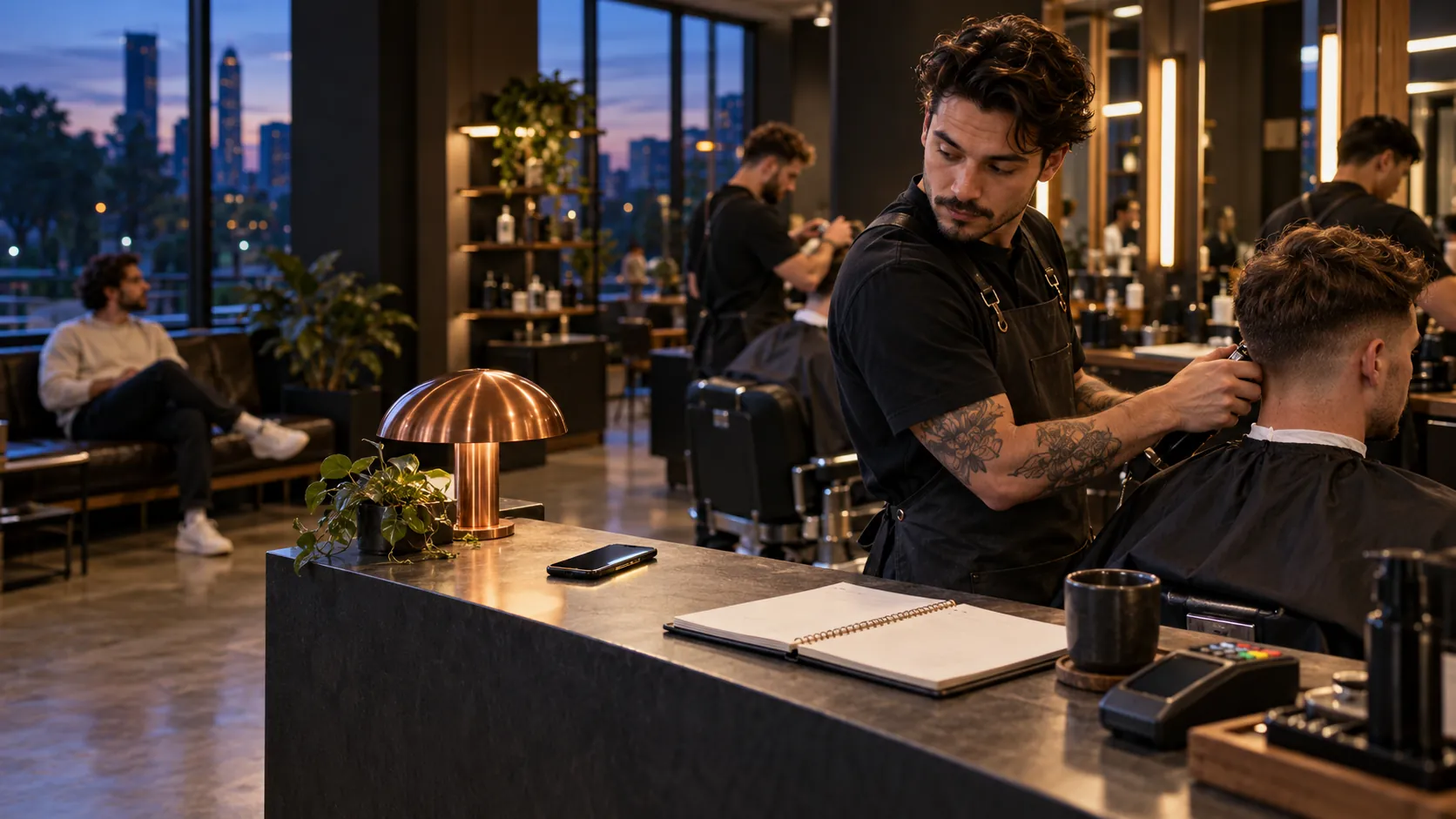
A barber mid cut turns toward a phone buzzing on the front counter, beside an open appointment book, a card reader and a coffee

A busy shop runs on five things at once.

  • The phone, ringing mid-cut
  • DMs stacking up
  • A booking app of its own
  • Voicemail nobody has time to play back
  • A spreadsheet for the takings

Barber OS brings the booking, the phone and the takings into one system. Calls and texts, then DMs, are next.

What runs your shop, from the first booking to the end of the week.

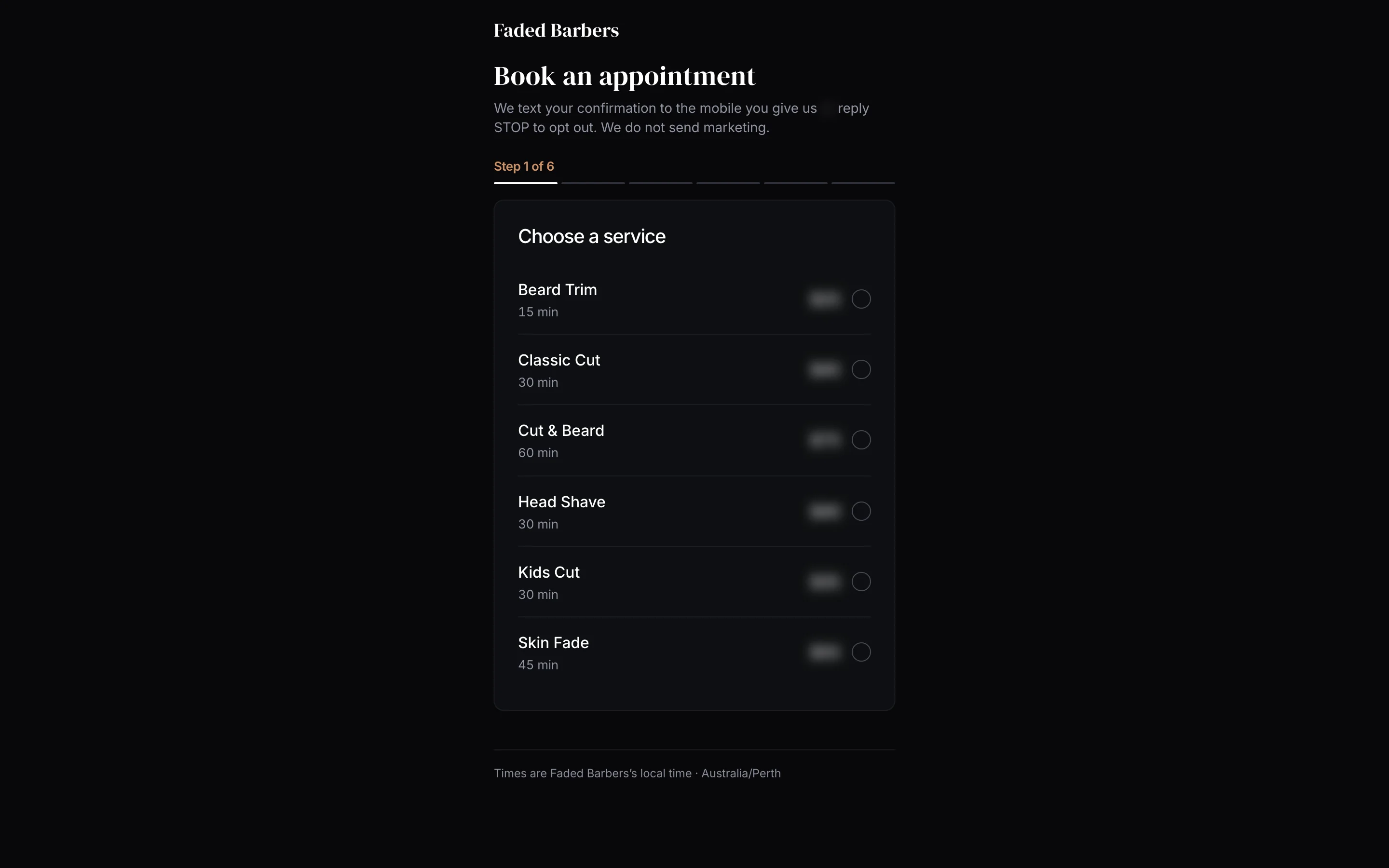
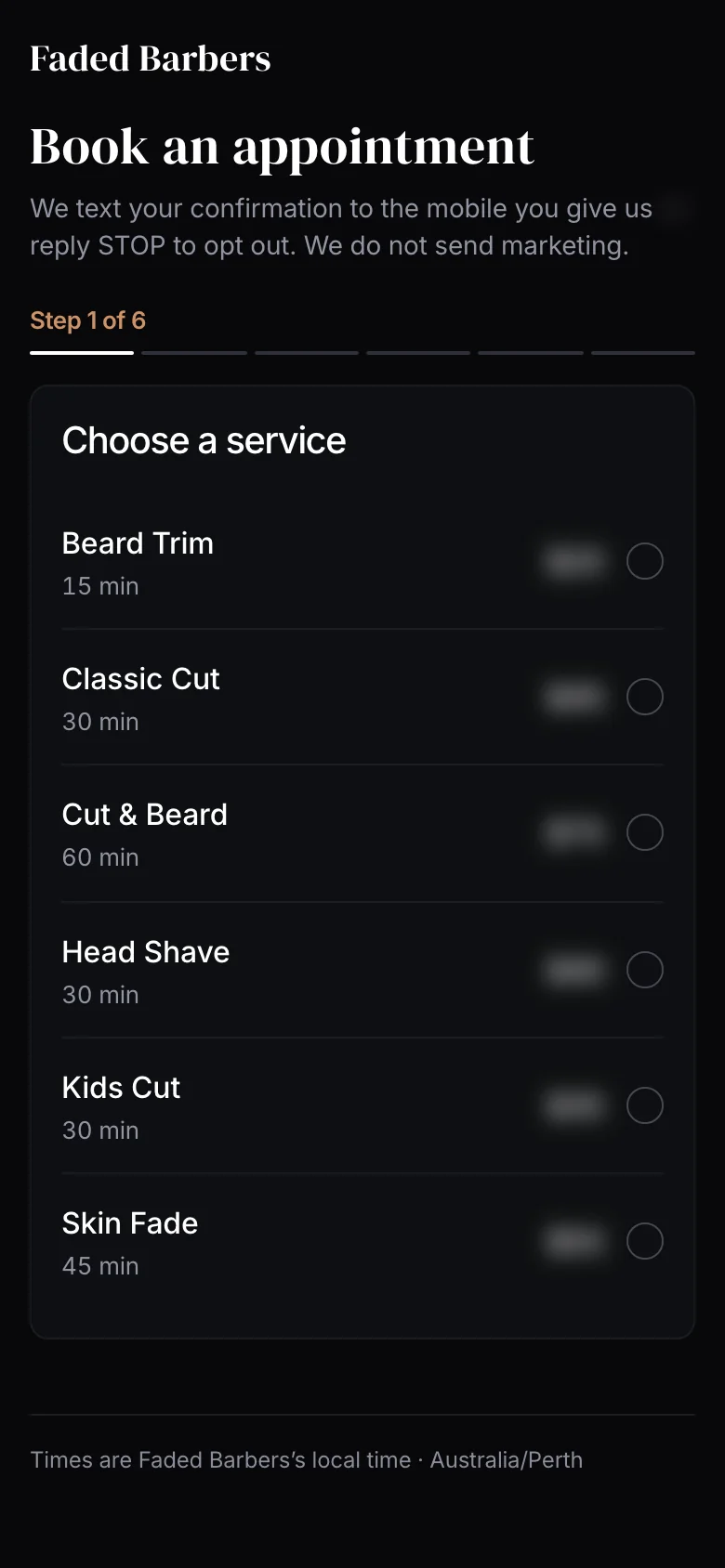
Faded Barbers booking page on a phone, step 1 of 6, choosing a service from the list
Live

A diary that belongs to your shop.

Barber OS has its own booking engine. It is not an overlay on another booking system, so the diary your clients book into is the same diary the receptionist uses on the phone.

  • Clients pick a service, a barber, a day and a time on your own booking page, then leave their details.
  • The database itself checks the diary for clashes, not just the screen.
  • A text confirmation goes out with a reference. Clients can reply STOP to opt out and START to come back.

Booking page · Faded Barbers
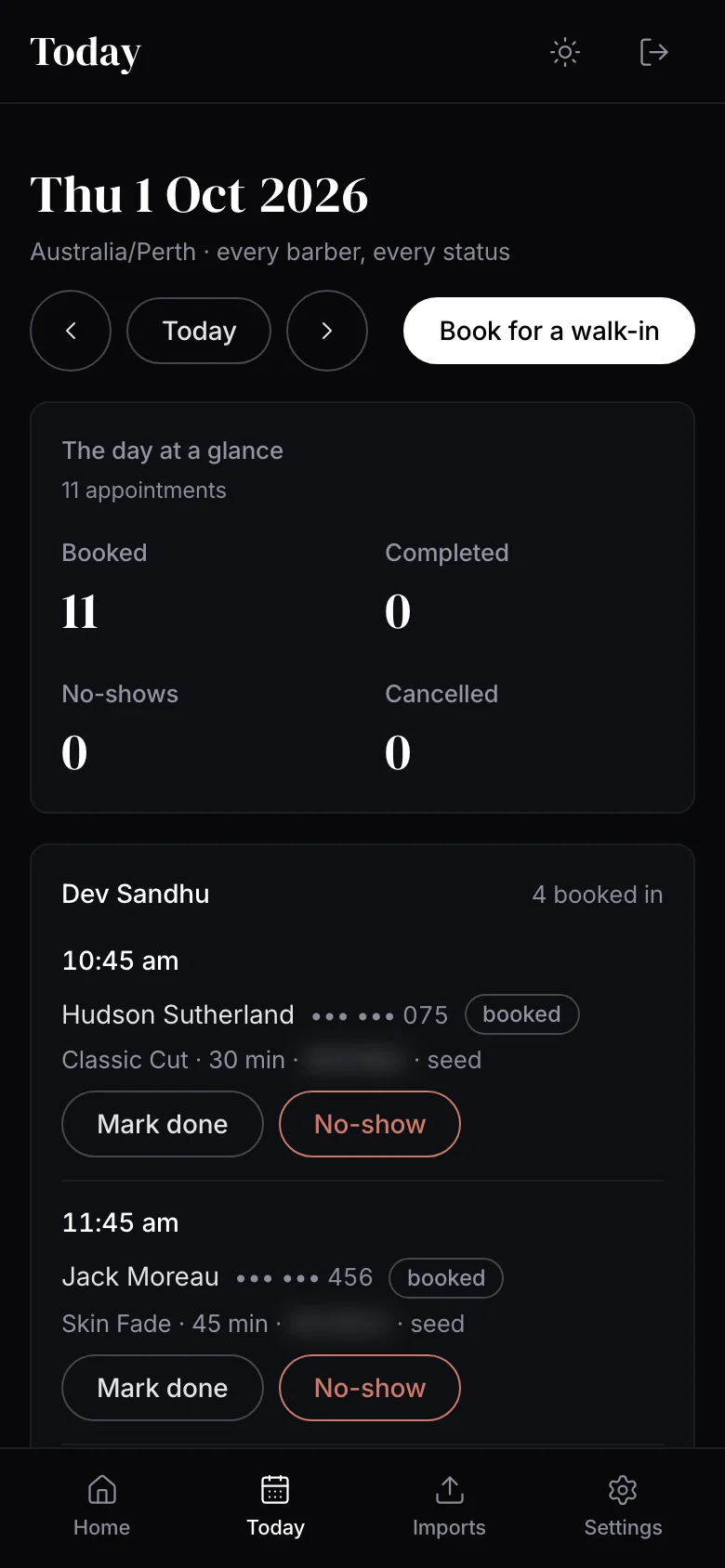
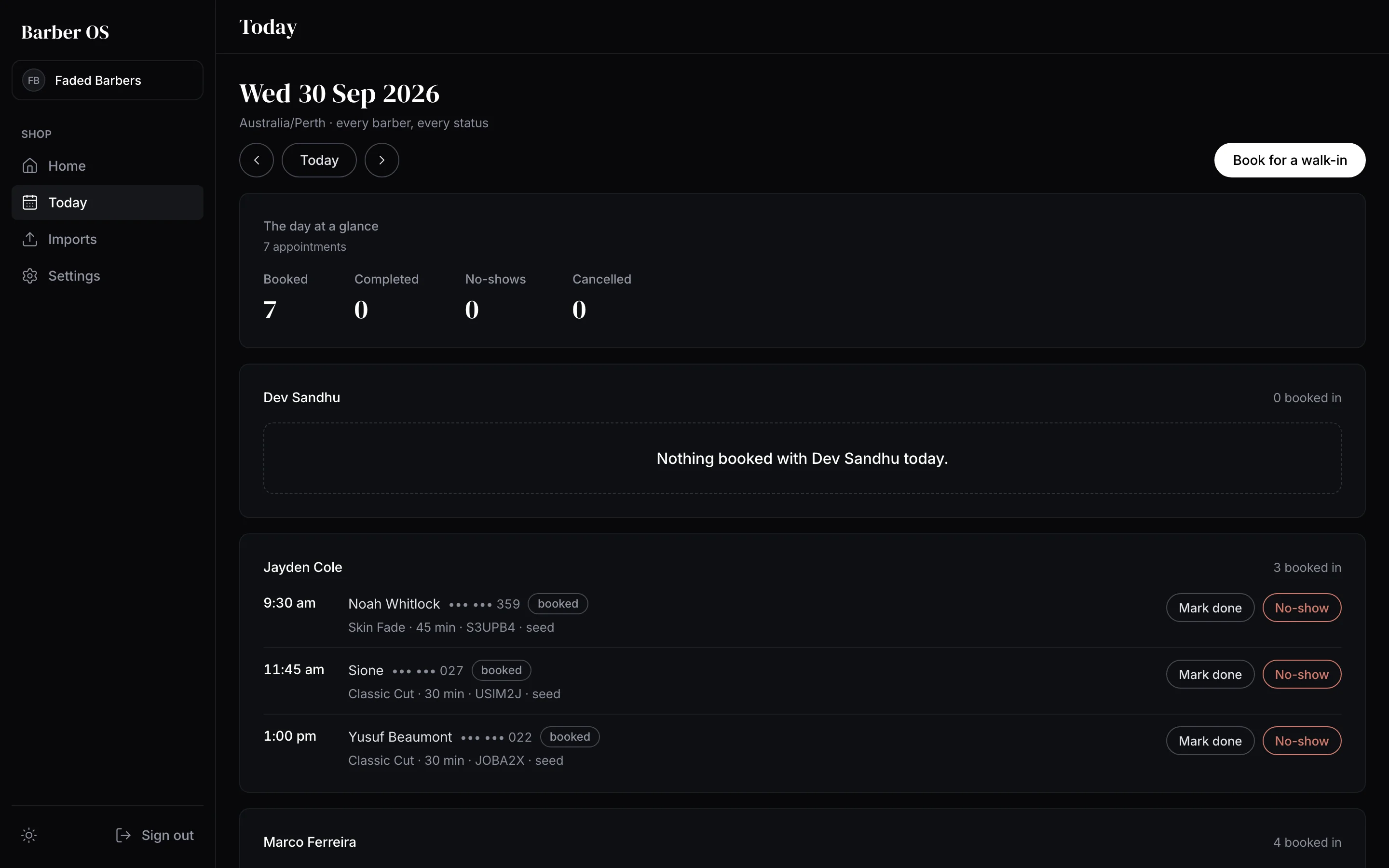
Barber OS day view for Faded Barbers on a phone: the day at a glance, then each barber’s bookings with Mark done and No-show
Live

An AI receptionist that answers your phone.

The receptionist picks up, books, reschedules and cancels, and texts the client a confirmation. It tells callers the call is transcribed. When it cannot help, it takes a callback request and leaves it for you.

  • Before it changes an existing booking, the caller proves it is theirs: the reference from their confirmation text, or a 4-digit code it texts to the number on file.
  • It works from the same diary as your online booking page.
  • Callbacks and texts that need attention show up on your home screen.

Day view · Faded Barbers

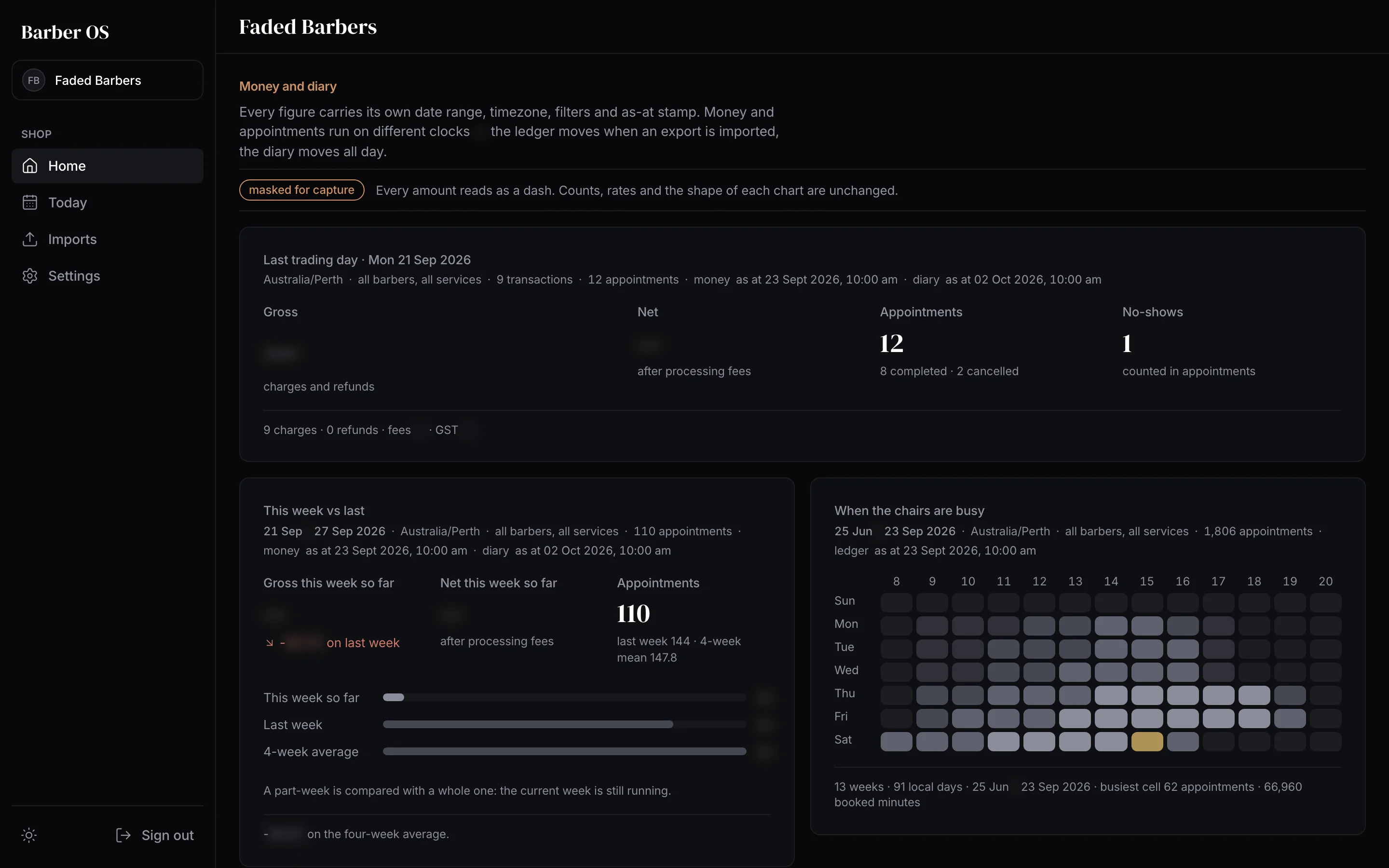
Barber OS Financial Intelligence on a phone: this week against last week, then a heatmap of when the chairs are busy
Live

See how the shop is doing, with the workings shown.

Financial Intelligence puts the diary and the takings side by side. Figures show their date range, timezone, filters and when they were last updated, so you can see what they are built from.

  • Today, this week against last week, a heatmap of the busy hours, and a four-week cash-in forecast shown as a range.
  • Bring in your history from a Square or Stripe CSV export. It is for reporting, not live payment processing.
  • Ask a question in plain words. The answer names the figure and the dates it came from, or says it cannot answer.

Financial Intelligence · Faded Barbers · Amounts hidden in this capture

In development

Calls and texts, in one inbox.

The phone desk is live today. The owner inbox, where you read the calls and texts it handles, is still being built.

Calls & texts

Preview

Callum

Booked
Today
Answered by the receptionist

Call · Callum · 1:42

11:02am

Callum asked for a skin fade today. Nothing was free before 5, so the receptionist offered Thursday 2:30 with Jayden and he took it. Confirmation text sent.

Booked · Skin fade · Thu 2:30pm · Jayden · Confirmation sent

Hi Callum, skin fade with Jayden, Thursday 2:30pm at Faded Barbers. Reply STOP to opt out.

Receptionist · 11:04am

Sweet, cheers

Callum · 11:09am

A barber between clients holding his phone, the shop softly lit behind him
Coming soon

Read the DMs. Reply yourself, or let the receptionist draft it.

Social DMs will bring your shop's Instagram messages into Barber OS, so you can answer them, or let the receptionist draft a reply for you to approve. It is not built yet.

Instagram DMs

Preview

Ryan · Instagram DM · Faded Barbers

Hey mate, any spots Saturday morning for a fade and beard?

Ryan · 8:12pm

Also do you do kids cuts? Bringing my nephew

Ryan · 8:13pm

Drafted by the receptionistNot sent

Hey Ryan, Saturday morning is open with Marco at 9:30 for a cut and beard. Kids cuts run 30 minutes, so your nephew can go in straight after. Want me to lock both in?

Let the receptionist answer these on its own · Off

Preview only. Not built yet, and details may change.

One system instead of a stack of them.

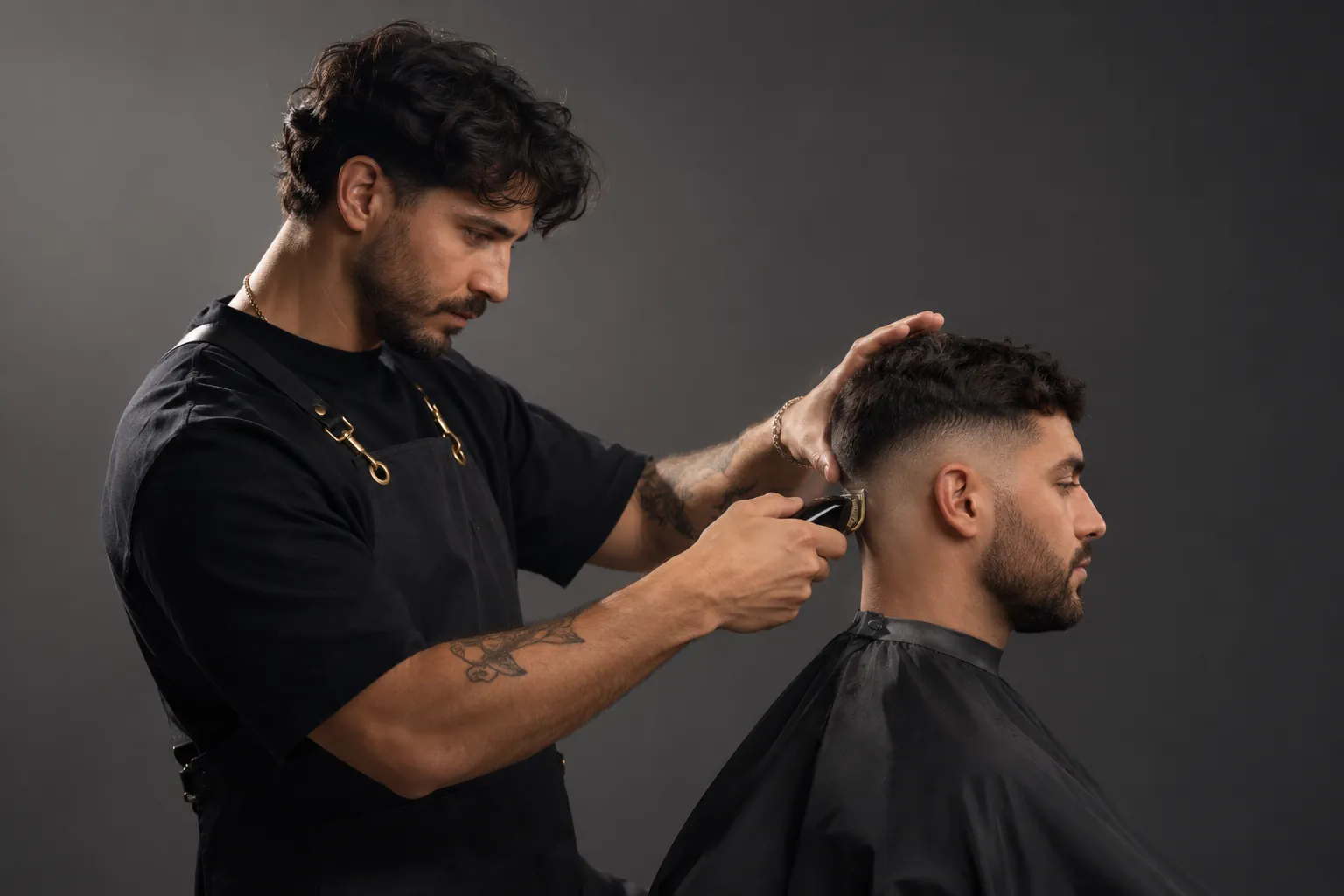
A barber cutting a seated client’s hair, both in profile against a plain grey backdrop

The stack you juggleA booking app on one side, a phone on the other

One diary that online booking and the receptionist both use

Bring your takings history with you.

Import a Square or Stripe CSV export and your history lands in the takings view. Your existing bookings and client list start fresh on Barber OS, so we would rather tell you that now than at go-live.

The stack you jugglePhone coverage only when someone is free to answer

An AI receptionist on your phone line

The stack you juggleTakings in a spreadsheet, days behind the diary

Financial Intelligence next to the diary, with the dates shown on each figure

You deal with the person who built it. Support is on WhatsApp during Perth business hours.

Three founding shops.

We are opening Barber OS to three shops first. If you are one of them, here is what you get and what we ask.

Book a showing (opens in a new tab)

Barbershops only for now. Prices are quoted plus GST at the showing.

What you get

  • Your price is locked for 12 months.
  • The setup fee is waived.
  • Your deposit equals your first month, and it is refundable until go-live.
  • Support on WhatsApp during Perth business hours, with a target reply of four hours.

What we ask

  • Permission to write up a case study.
  • Two introductions to other shop owners.
  • A 20-minute feedback call every fortnight.

Frequently asked questions

Is Barber OS a layer on top of my current booking system?

No. It is its own booking engine and its own diary, so online booking and the receptionist share one diary. You would move your bookings onto it rather than run it over another system.

Can I bring my history across?

Your takings history, yes. Import a Square or Stripe CSV export and it feeds the Financial Intelligence dashboard. That import is for reporting, not live payment processing. Your existing bookings and client list would start fresh on Barber OS.

What can the receptionist do, and what happens when it can't help?

On the phone it can check availability, book, look up a booking, cancel and reschedule, then text a confirmation. To change an existing booking, the caller first gives the reference from their confirmation text, or reads back a 4-digit code it texts to the number on file. If a caller needs a person, it takes a callback request and puts it on your home screen.

Do callers know the call is transcribed?

Yes. The call transcription disclosure is on by default. An owner can only switch it off after signing an acknowledgement that the legal responsibility is theirs. Western Australia is an all-party-consent state, and this is not legal advice. Transcripts are deleted after 60 days, and keeping call audio is your choice, off by default.

What about texts and opt-outs?

Booking confirmations go out by text. Clients can reply STOP to opt out and START to opt back in, and Barber OS records the request.

Where is my shop's data kept?

Your bookings, clients and takings are kept in a database in Sydney, and only the people you add to your shop can open your dashboard. Your public booking page shows what a client needs to book: your services and prices, your barbers and the days you open. Call transcripts are held by our voice provider, ElevenLabs, and deleted after 60 days. When you connect Instagram, Facebook, WhatsApp or TikTok, those messages reach Barber OS through HighLevel, the messaging platform The Rise AI uses to connect those apps. Texts are handled by your shop's own number provider. Barber OS deletes message text after 60 days, and HighLevel keeps its own copy under its own retention.

Who is it for, and what does it cost?

Barbershops, for now. Salons come later, on the same engine. Pricing depends on how many chairs you have, and we quote it plus GST at a showing. Founding shops get a locked price for 12 months.